


Mobile Order Processing: Its Potential Is Rarely Fully Realized.
Mobile work order processing in facility and lifecycle management is now standard practice for most companies. But just because employees and technicians work on the go using a tablet or smartphone doesn’t mean the full potential is being realized. Two common misconceptions arise in this context:
Data entered remains on the device
The FM team uses apps that are not connected to the central database or do not allow data entry. Coordination and task assignment within the team take place, for example, via email, text message, or calendar entry. The same applies to the forwarding of trouble tickets (e.g., alarms from a technical system or customer complaints). Although the responsible technician can respond, they have no way to record feedback or the time and effort involved. Retrospective data entry into the system is usually incomplete and, above all, unpopular with employees. Yet it is precisely this data that is essential for identifying critical systems (keyword: “vulnerability analysis”) and reducing the number of fire drills.
The strengths of mobile devices are not being utilized
Order processing can also be handled on tablets using Excel spreadsheets—which, strictly speaking, could also be called “mobile order processing.” However, this essentially involves transferring a desktop application 1:1 to the mobile device without taking advantage of the device’s strengths. Most often, it’s the small features that make a difference for the user, such as the ability to easily share information with coworkers, edit photos of defects directly and log them as work orders, or attach short audio recordings to equipment (since some technicians are reluctant to type on small smartphones). It’s also helpful when the user interface and navigation adhere to established standards, such as Google’s Material Design. Examples include swiping—a feature familiar from email apps—or the action button. This helps users find their way around more quickly and reduces the need for training. The smaller screen size must also be taken into account: Lists with many columns or tables are difficult to view and edit on mobile devices. However, this situation can be turned into an advantage: Since operational staff primarily use mobile devices, the range of functions can be reduced; the focus should be primarily on data entry and quickly finding relevant information (e.g., the most recent work performed on a piece of equipment, real-time temperature readings from a room, etc.).
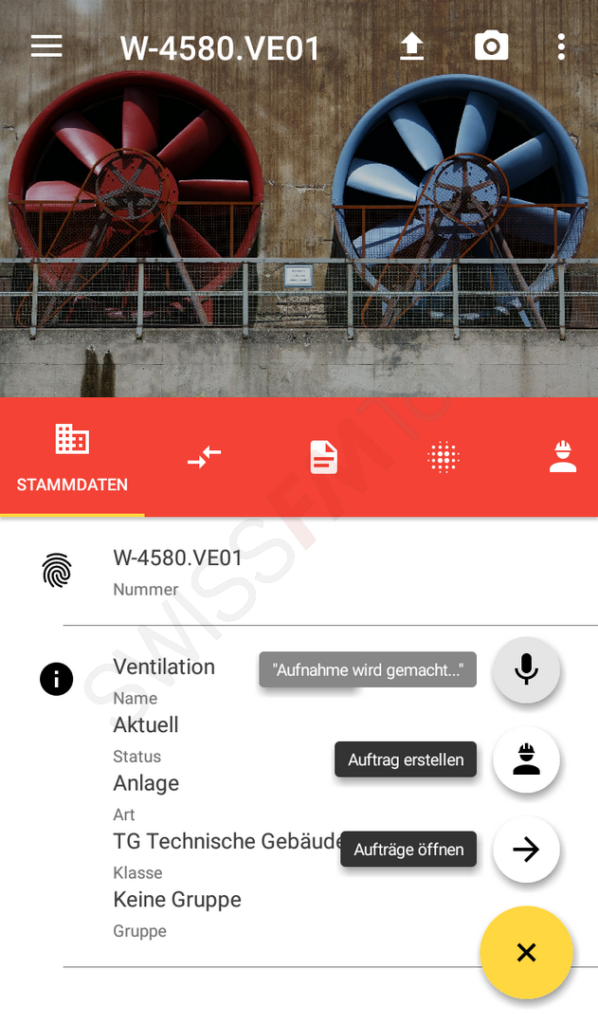
The audio recording is saved directly to the system as soon as the user releases the button.
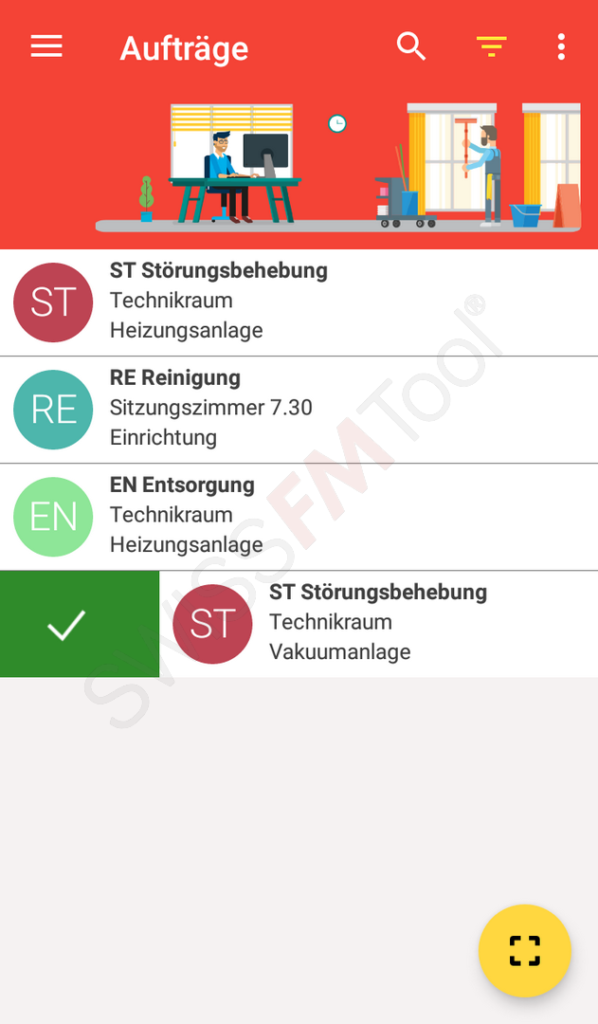
Swipe to complete the order
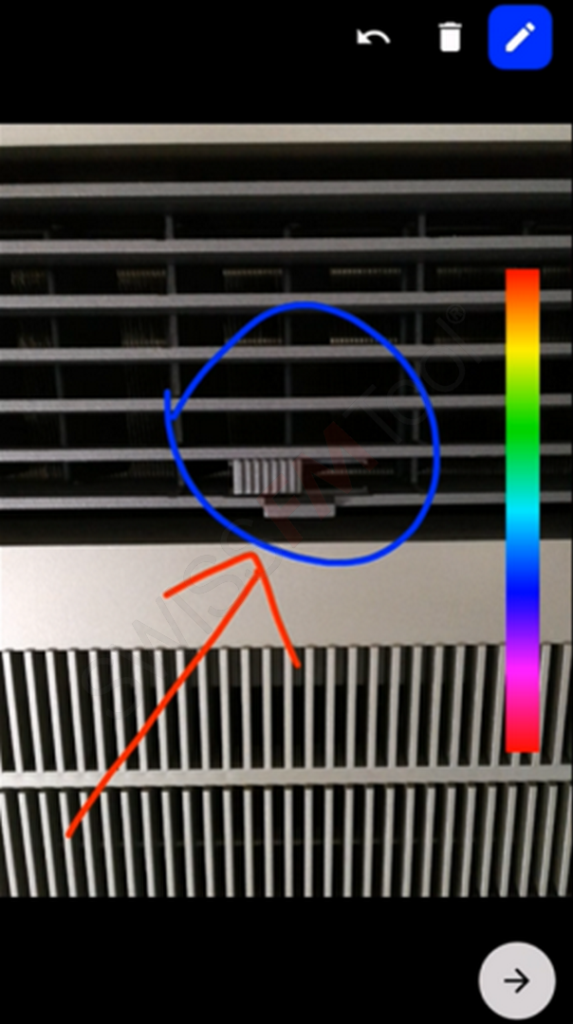
Create a photo request: Take a photo of the defect and mark the problem area.
Conclusion
Mobile order processing is a broad term. Anyone who wants to fully realize its potential must be aware that mobile devices have their own “rules of the game.” It’s worth knowing and following these rules, as doing so can greatly simplify processes and improve data quality.


